Download the okpk app APK directly to your Android device — no Google Play, no complicated sign-up wall. The file is 45 MB, installs in under a minute, and you're playing right away. Already have an account? Just log in. New here? Register inside the app and claim your first-deposit bonus.

Scan with your phone camera to download the okpk APK directly.
Version Info & What Your Phone Needs
| Field | Detail |
|---|---|
| App Name | okpk – Casino & Sports |
| Version | 2.0.14 |
| File Size | 45 MB |
| Minimum Android | Android 8.0 (Oreo) or higher |
| Last Updated | 9 November 2026 |
| Price | Free |
| Languages | English & Bangla |
| Platform | Android (APK direct install) |
Before You Download
- Your phone must run Android 8.0 or above. Check in Settings → About Phone → Android version.
- You need at least 80 MB of free storage — 45 MB for the APK plus space for the install process.
- Use Wi-Fi or a stable mobile data connection. A dropped download can corrupt the APK file.
- iOS users cannot install an APK. See the Add to Home Screen guide below for a browser shortcut.
Is the okpk APK Safe to Install?
The APK file is built and signed by the okpk team and served directly from our domain. Here is what you need to know about permissions and file safety before you tap Install.
Signed APK, Single Source
The okpk APK is digitally signed and hosted only at okpk.blog/download/okpk.apk. Do not install APK files from Telegram groups, third-party sites, or mirror links — those files are not verified by us. Always download from this page to ensure you get the correct signed build.
Network & Storage Permissions
The app requests Internet access (to load games and process bets), storage read/write (to cache game assets and save your login session), and device vibration (for bet-result haptic feedback). It does not access your contacts, camera, microphone, or location. You can review all permissions in Android Settings → Apps → okpk → Permissions at any time.
Your Login Data Is Encrypted
All traffic between the okpk app and our servers travels over TLS 1.3. Your account credentials are never stored in plain text on the device. Session tokens expire automatically after 24 hours of inactivity. If you lose your phone, contact our 24/7 Live Chat support to lock your account immediately — no need to visit a branch or wait.
Keeping the App Up to Date
When a new version of the okpk app is released, you'll see an in-app update prompt. Tap it, and your phone's browser will download the new APK from the same verified link. You do not need to uninstall the old version first — the installer handles the upgrade. Staying on the latest build ensures you get security patches and new game releases without any extra steps.
Install the okpk APK on Android – 5 Steps
-
Allow installs from unknown sources
Open your phone's Settings → Apps → Special App Access → Install Unknown Apps (the exact path varies by phone brand). Find your browser (Chrome, Firefox, or your default browser), then toggle Allow from this source to ON. This tells Android your browser is trusted to install APKs you download manually. You can turn it off again after installation.
-
Download the okpk APK file
Tap the Download APK button on this page. Your browser will download
okpk.apk(45 MB) to your phone's Downloads folder. Wait until the progress bar in your notification shade shows 100%. If your mobile data is slow, switch to Wi-Fi for a more reliable download — a partial file will fail to install. -
Open the downloaded file
Pull down your notification shade and tap okpk.apk – Download complete. Alternatively, open your Files app, go to Downloads, and tap the APK there. Android will show a security dialog — this is normal for APKs installed outside the Play Store. Tap Install (not "Cancel"). The installer takes about 10–20 seconds depending on your device speed.
-
Wait for installation to finish
Once Android finishes, you'll see an "App installed" confirmation screen with two options: Open or Done. Tap Open to launch the okpk app immediately. If you tap Done, you can find the okpk icon on your home screen or in the app drawer. The app launches to a welcome screen within a few seconds on most Android 8+ devices.
-
Log in or create your account
Use your existing okpk username and password to log in right away. First time? Tap Register — the process takes under two minutes and you'll need a valid mobile number for OTP verification. After registering and making your first deposit, the welcome bonus of 185% (up to ৳11,000) is credited automatically within minutes.
iOS Users – Add to Home Screen
APK files do not run on iPhone or iPad. Use Safari to create a shortcut that works like an app:
- Open okpk.blog in Safari on your iPhone.
- Tap the Share icon (the box with an upward arrow) at the bottom of the screen.
- Scroll down and tap Add to Home Screen.
- Give it the name okpk and tap Add. The icon now appears on your home screen like a native app.
The web app on iOS gives you full access to all games, deposits via bKash/Nagad, and live support — the same features as the Android app.
Everything Inside the okpk App
Over 3,900 games and a full sports betting section — all available the moment you open the app. Here's what you'll find across the main categories.
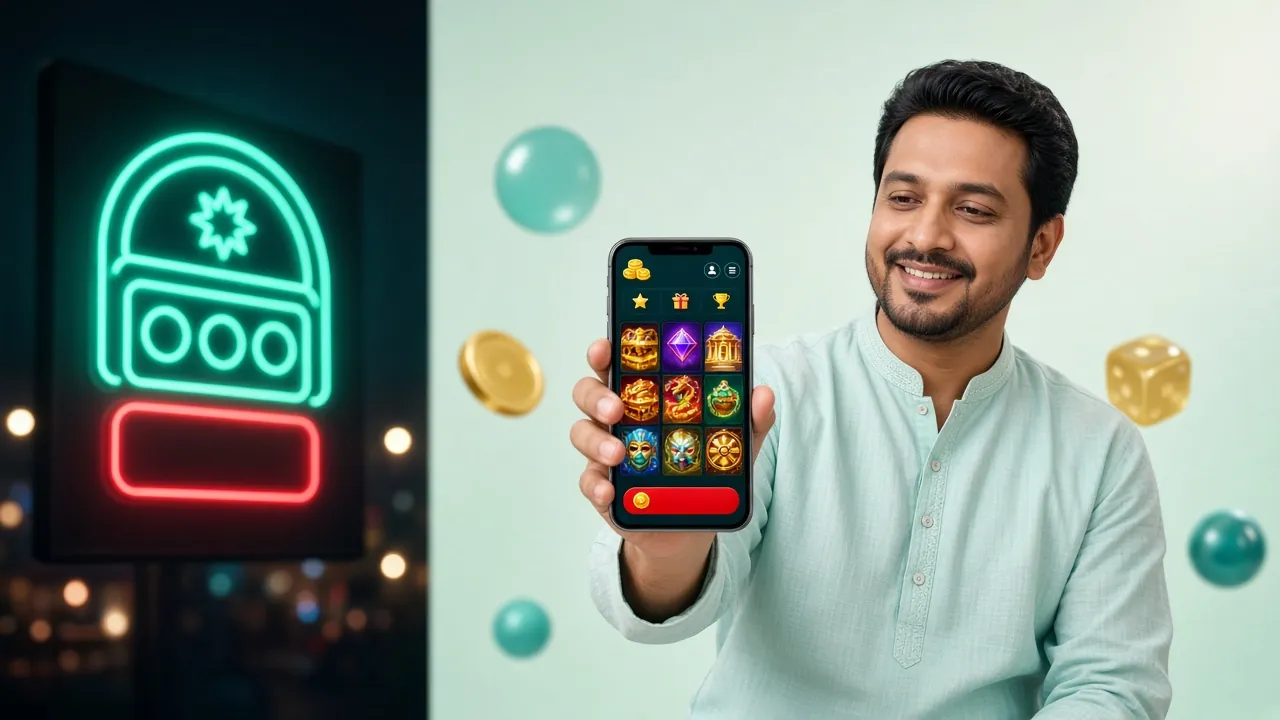
Slots – Spin on the Go
Games like Jurassic Kingdom (JILI, RTP 95.6%), Fortune Gems 2 (Spribe, RTP 97.3%), and 10001 Nights (Habanero, RTP 97.7%) load quickly on mobile. Minimum bets start from ৳1, so you can keep sessions short between commutes or during match breaks.

Crash Games – Cash Out Fast
Crash Bonus by Spribe (RTP 96.7%) is one of the most-played titles in the app. Watch the multiplier climb and tap Cash Out before it crashes. Bets start from ৳5. The touch interface in the okpk app is optimised for single-tap cash-out — no lag on standard Android hardware.

Teen Patti & Rummy
Teen Patti (Spribe, RTP 97.1%) and Rummy (Spribe, RTP 96.9%) are both available in the card games section. Stakes range from ৳5 up to ৳50,000 per hand — suitable for casual evening play and serious sessions alike. Tables load within three seconds on a 4G connection.
Fishing Games – Team & Solo
Mega Fishing (JILI, RTP 97.2%), Cat Fishing (Spribe, RTP 96.9%), and Lucky Gods Fishing (Red Tiger, RTP 96.7%) are the top picks. Fishing titles use tap controls that feel natural on a touchscreen — far better than mouse play. Bets start from ৳2 and go up to ৳20,000 per round.
Cricket & Football Betting
Place bets on live BPL, IPL, and T20 matches directly from the app. The sports section covers pre-match and in-play markets. Odds update in real time with a noticeably lower refresh delay than the browser version on slower connections. bKash and Nagad top-ups fund your bet within one minute.
Deposits & Withdrawals In-App
Deposit via bKash, Nagad, Rocket, or Bank Transfer — minimum ৳150, processed in about one minute. Withdrawals take around 10 minutes and the daily limit is ৳150,000. The Cashier section in the app uses the same payment flow as the website, with all four methods in a single tap. No need to open a browser to fund your account.
App vs Browser – What's Different?
Both the okpk app and the mobile website give you full access to games and payments. The app has a few specific advantages that matter if you play on the move.
| Feature | okpk App | Browser |
|---|---|---|
| Game loading speed | Faster – assets cached locally | Depends on network speed |
| Push notifications (bonus alerts, score updates) | ||
| One-tap cash-out in Crash games | Standard tap | |
| Haptic feedback on bet result | ||
| Full game library (3,900+ titles) | ||
| bKash / Nagad deposit | ||
| Biometric (fingerprint) login | ||
| Offline mode (view account, check history) | ||
| Works on iOS devices | ||
| No install required |
Install Not Working? Common Problems & Fixes
Most install failures have a simple cause. Check the table below before contacting support — you'll usually be sorted within two minutes.
| Problem | Likely Cause | Fix |
|---|---|---|
| "Install blocked" or "Not allowed" | Unknown sources permission is off for your browser app. Android blocks installs from unapproved sources by default to protect users. | Go to Settings → Apps → [Your Browser] → Install Unknown Apps → Allow. Then tap the APK file again. The block clears immediately after you grant permission to the correct app. |
| "Package seems corrupt" or install fails at 100% | The APK file downloaded incompletely — a dropped mobile data connection or full storage during download causes partial files that fail the integrity check. | Delete the incomplete file from your Downloads folder, clear your browser's download cache, connect to Wi-Fi, and re-download. Free up storage (you need at least 80 MB) before starting. |
| App crashes immediately after opening | Your Android version is below 8.0, or an older incompatible version of the okpk APK is already installed and conflicting with the new build. | Check your Android version in Settings → About Phone. If it is 8.0+, uninstall the old okpk app first, then reinstall from this page. If your Android is below 8.0, use the mobile browser instead. |
| Games load slowly or freeze in the app | Weak mobile data signal (below 4G) or background apps consuming RAM. Some fishing and live casino games need a stable connection to stream video smoothly. | Switch to Wi-Fi if available. Close background apps by clearing recent apps. If on mobile data, check your signal bars — switching from 3G to 4G/LTE makes a significant difference for live-streamed tables. |
| Cannot log in after installing | Typed the wrong credentials, account not yet registered, or the account is temporarily locked after multiple failed login attempts. | Use the okpk Login page to reset your password via OTP. If you haven't registered yet, tap Register in the app or visit /okpk-register/. For a locked account, contact 24/7 Live Chat support directly from the app. |
Install From This Page, Skip the App Store
The okpk APK lives on our own server, so you can pull it down the moment you land here. Tap once, allow the install, and the lobby opens on your phone.
-
Updates come as a fresh file New builds arrive as a new APK from the same domain. Install v2.0.14 over the old one and your login stays as it is.
-
Built light for everyday Android phones 45 MB download, Android 8.0 and above. Runs fine on a mid-range handset over mobile data, no high-end chip needed.
-
Top up and cash out without leaving the app Deposit from ৳150 with bKash, Nagad, Rocket or bank transfer, then request a withdrawal and wait around 10 minutes.
-
Help is a tap away, any hour 24/7 live chat sits in the app menu. Someone answers in real time, so an install problem does not sit overnight.
Questions About the okpk App
01 Is the okpk APK safe to download and install?
02 My phone runs Android 7 — will the okpk app still install?
03 How do I update the okpk app to the latest version?
04 Can I deposit and withdraw using bKash inside the app?
05 Do I need to create a new account just to use the app?
06 What if my Android phone is rooted — will the app work?
07 Is there an okpk app for iPhone or iPad?
Next Steps After Installing
Play Responsibly – 18+ Only
The okpk app is for adults aged 18 and above. Set deposit limits, take breaks, and reach out to our 24/7 Live Chat if gambling stops being fun. Help is always available.